Video Editor Jobs – Career Guide, Skills, Salary & How to Get Hired
Every day, millions of videos are uploaded to YouTube, TikTok, Instagram, and Netflix. Behind almost every one of those videos is a video editor—the person who takes raw footage and transforms it into a compelling story. Video editor jobs have exploded in demand as video content dominates the internet.
Whether you dream of cutting Hollywood films, editing YouTube videos for influencers, or creating social media ads for global brands, video editing offers a creative and flexible career path. You do not always need a degree. With the right software skills and a strong portfolio, you can start earning as a freelance editor or land a full-time role at a production studio.
This comprehensive guide covers everything you need to know about becoming a video editor. From essential software and skills to salary expectations and where to find jobs, you will find all the information to launch your editing career.
What Are Video Editor Jobs?
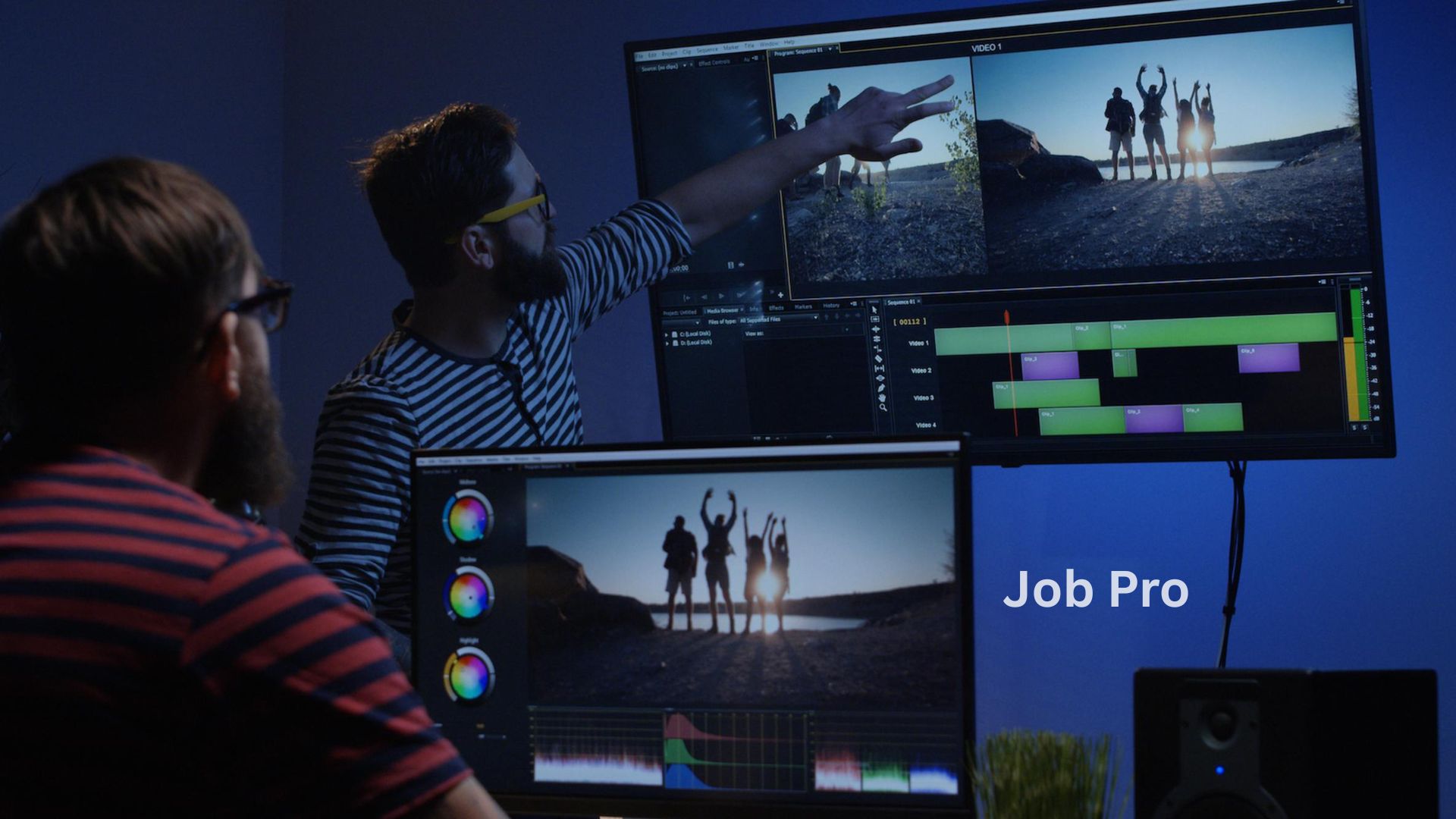
Video editor jobs involve assembling recorded footage into a finished video that tells a story, conveys a message, or entertains an audience. Editors work with raw video clips, audio, graphics, and special effects to create a polished final product.
Video editors work across many industries:
- Film and television production
- YouTube and online content creation
- Advertising and marketing agencies
- Corporate communications
- Social media management
- Wedding and event videography
- News and broadcast media
The role requires both technical skills (using editing software) and creative skills (storytelling, pacing, visual rhythm). A great editor does not just cut clips—they shape emotion, build tension, and guide the viewer’s attention.
Role and Responsibilities of a Video Editor
The daily duties of a video editor vary by industry, but core responsibilities include:
Importing and organizing footage:
- Transfer footage from cameras or storage drives
- Label and organize clips in project folders
- Review all footage to understand what is available
Editing and assembly:
- Cut and trim clips to remove unwanted sections
- Arrange clips in chronological or narrative order
- Create rough cuts for client or director review
- Refine edits based on feedback
Audio editing:
- Sync audio with video
- Remove background noise and unwanted sounds
- Add music, sound effects, and voiceovers
- Adjust volume levels for consistency
Color correction and grading:
- Adjust brightness, contrast, and saturation
- Fix white balance issues
- Create a consistent “look” across all scenes
- Apply color grading for mood and style
Adding graphics and effects:
- Insert titles, lower thirds, and credits
- Add transitions between clips
- Create basic motion graphics
- Apply visual effects when needed
Exporting and delivery:
- Export videos in appropriate formats (MP4, MOV, etc.)
- Compress files for web or broadcast
- Deliver final files to clients or publishing platforms
Collaboration:
- Work with directors, producers, and clients
- Understand project goals and creative direction
- Incorporate feedback efficiently
Types of Video Editor Jobs
There are many specializations within video editing.
| Job Type | Work Setting | Typical Projects | Pay Range (USD/year) |
|---|---|---|---|
| YouTube Video Editor | Remote or production house | Vlogs, tutorials, gaming videos, commentary | $30,000 – $80,000 |
| Film & TV Editor | Post-production studio | Movies, TV shows, documentaries | $50,000 – $150,000+ |
| Social Media Video Editor | Agency or freelance | Instagram Reels, TikTok, YouTube Shorts, Facebook ads | $35,000 – $70,000 |
| Freelance Video Editor | Remote (self-employed) | Variety of client projects | $30,000 – $100,000+ |
| Corporate Video Editor | In-house at a company | Training videos, internal communications, promotional content | $45,000 – $85,000 |
| Motion Graphics Editor | Studio or freelance | Animated explainers, logo reveals, kinetic typography | $50,000 – $90,000 |
| Wedding Video Editor | Wedding videography company | Highlight reels, full ceremony edits | $30,000 – $60,000 |
YouTube Video Editor
Edits content for YouTube creators. Fast-paced, often daily deadlines. Requires understanding of YouTube pacing (retention editing) and trends. May also create thumbnails.
Film & TV Editor
The most traditional and prestigious path. Works on feature films, television series, and documentaries. Requires advanced storytelling skills. Often works with a director over months.
Social Media Video Editor
Specializes in short-form content (15–60 seconds). Edits for platforms like TikTok, Instagram Reels, and YouTube Shorts. Focuses on hooking viewers in the first 3 seconds.
Freelance Video Editor
Works independently, taking projects from multiple clients. Sets own rates and schedule. Requires business skills (invoicing, client communication, marketing).
Corporate Video Editor
Works inside a company’s marketing or communications department. Edits internal training videos, CEO messages, product demos, and recruitment content. Stable hours and benefits.
Motion Graphics Editor
Specializes in animation and visual effects in addition to editing. Creates title sequences, lower thirds, animated logos, and explainer videos. Advanced software skills required (After Effects).
Wedding Video Editor
Edits wedding footage into highlight reels and full ceremonies. Requires patience (long footage) and emotional storytelling. Often seasonal work.
Skills Required for Video Editors
To succeed in video editor jobs, you need a mix of technical and creative skills.
Video editing software knowledge:
You must master at least one professional editing program. The industry standards are:
| Software | Platform | Difficulty | Best For | Cost |
|---|---|---|---|---|
| Adobe Premiere Pro | Windows/Mac | Medium | Industry standard, versatile | $21/month |
| Final Cut Pro | Mac only | Medium | Mac users, fast rendering | $299 one-time |
| DaVinci Resolve | Windows/Mac/Linux | Medium-Advanced | Color grading, free version powerful | Free or $295 |
| CapCut | Windows/Mac/Mobile | Easy | Social media, TikTok trends | Free |
| Sony Vegas | Windows | Easy-Medium | Beginners, gaming videos | $399 one-time |
Creativity and storytelling:
You must understand narrative structure, pacing, and emotional beats. A good editor knows when to hold a shot and when to cut.
Attention to detail:
You notice a single frame of black flash. You hear a pop in the audio. You catch a spelling error in a title. Details matter.
Time management:
Editing a 10-minute video can take 10–40 hours. You must estimate accurately and meet deadlines.
Basic animation and effects skills:
Knowing how to create simple motion graphics (titles, lower thirds, callouts) makes you more valuable. After Effects is the standard.
Audio editing:
Bad audio ruins good video. You should know how to clean noise, level volume, and sync dialogue.
Color correction:
You can fix exposure and white balance. You understand scopes (waveform, vectorscope). You create a consistent look.
Communication:
You understand client feedback (“make it pop” means different things to different people). You ask clarifying questions. You present rough cuts for approval.
Educational Requirements and Courses
You do not need a degree to become a video editor. Portfolio and skills matter more.
Minimum requirement:
- High school diploma
- Proficiency in at least one editing software
- Strong portfolio (5–10 finished projects)
Preferred (helps with competitive jobs):
- Bachelor’s degree in Film, Media Production, or Communications
- Certificate from a recognized program (e.g., Noble Desktop, NYFA, online courses)
Recommended online courses:
| Course Provider | Course Name | Cost | Duration |
|---|---|---|---|
| Udemy | Adobe Premiere Pro CC Masterclass | $15–$50 | 20–30 hours |
| Coursera | Create a Promotional Video using CapCut | Free (audit) | 10–15 hours |
| LinkedIn Learning | DaVinci Resolve 19 Essential Training | $30/month | 10 hours |
| Skillshare | Video Editing for Beginners (any software) | $32/month | 2–5 hours |
| YouTube (free) | “Premiere Pro Tutorial” (multiple creators) | Free | Varies |
| Motion Design School | After Effects for Beginners | $200–$500 | 20–40 hours |
Free resources:
- YouTube channels: Justin Odisho, Premiere Gal, Film Riot, Casey Faris (DaVinci Resolve)
- Blackmagic Design: Free official DaVinci Resolve training (PDFs and videos)
How to Become a Video Editor Step-by-Step
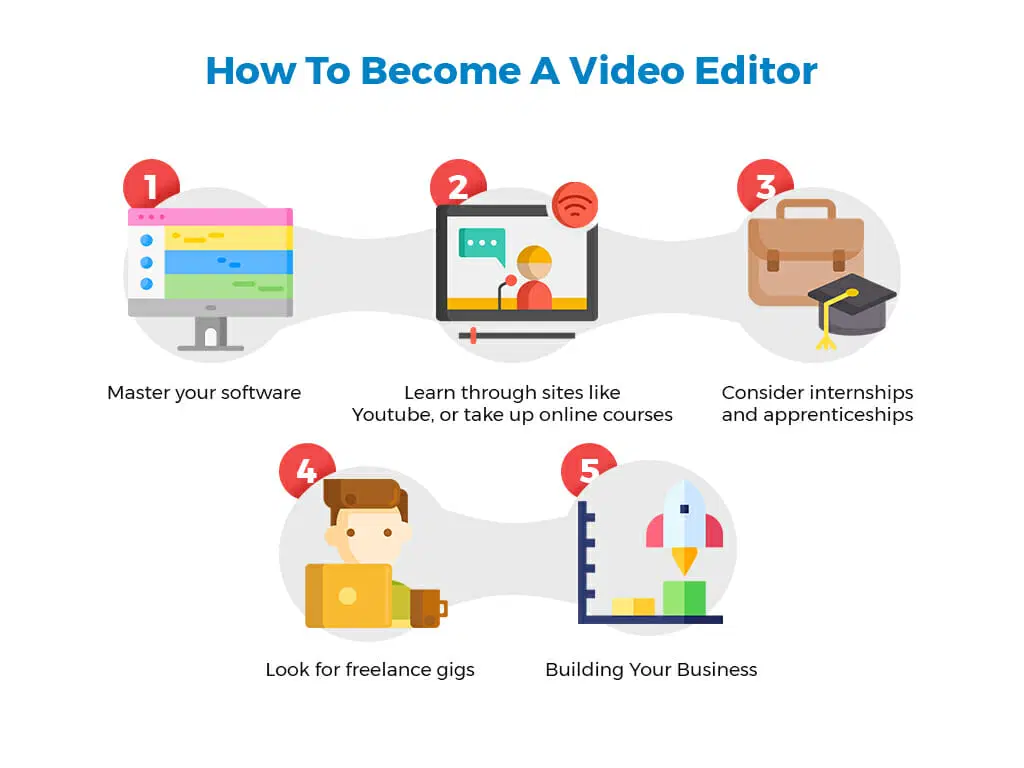
Follow this roadmap:
Step 1: Choose your editing software
Start with a free option (DaVinci Resolve or CapCut) or a trial of Premiere Pro. Learn the interface and basic tools.
Step 2: Learn the fundamentals (2–4 weeks)
Complete a beginner course on your chosen software. Learn: importing, cutting, transitions, audio adjustment, exporting.
Step 3: Practice with free footage
Download stock footage from Pexels, Pixabay, or YouTube (creative commons). Edit short videos (30–60 seconds). Practice different styles: fast-paced, emotional, corporate.
Step 4: Create a portfolio (3–5 projects)
Edit projects as if for real clients:
- A travel montage from stock footage
- A product promo for a fake brand
- A interview-style video (use a friend as talent)
- A social media reel (TikTok/Instagram style)
Upload your best work to YouTube or Vimeo (unlisted or public).
Step 5: Start with small paid projects
Use Fiverr, Upwork, or Freelancer. Offer low rates ($10–$20 per video) to get your first testimonials. Complete 5–10 projects.
Step 6: Build a professional portfolio website
Use a free builder (Carrd, Adobe Portfolio, Wix). Show your best 6–8 projects. Include client testimonials. List your software skills.
Step 7: Apply for jobs or raise your freelance rates
After 5–10 paid projects, update your portfolio. Raise your rates (e.g., from $20 to $50 per video). Apply to full-time roles or continue freelancing.
Step 8: Specialize (optional but recommended)
Choose a niche: YouTube editing, wedding editing, corporate editing, or motion graphics. Specialists earn more than generalists.
Step 9: Network and get referrals
Join Facebook groups, Discord servers, and Reddit communities (r/videoediting, r/editors). Ask past clients for referrals. Word-of-mouth is powerful.
Best Video Editing Tools and Software
Here are the most used tools in professional video editor jobs.
| Tool | Primary Use | Learning Curve | Best For |
|---|---|---|---|
| Adobe Premiere Pro | Main editing | Medium | Industry standard, collaboration |
| DaVinci Resolve | Editing + color | Medium | Color grading (free) |
| Final Cut Pro | Main editing (Mac) | Medium | Mac users, speed |
| After Effects | Motion graphics | High | Animation, VFX, titles |
| Audition | Audio editing | Medium | Noise removal, podcast audio |
| CapCut | Social media editing | Low | TikTok/Reels trends |
| Filmora | Beginner editing | Low | Hobbyists, simple projects |
| Avid Media Composer | Film/TV editing | High | Hollywood feature films |
Essential plugins and tools:
- FxFactory: Visual effects
- Red Giant Universe: Transitions and effects
- Motion Array: Templates, music, stock footage (subscription)
- Envato Elements: Unlimited downloads of assets
Freelance vs Full-Time Video Editor Jobs
| Factor | Freelance Video Editor | Full-Time Video Editor |
|---|---|---|
| Income stability | Variable (unpredictable) | Fixed salary |
| Income potential | Unlimited (work more, earn more) | Capped (annual raise only) |
| Benefits | None (no health, paid leave) | Health insurance, paid time off, 401k |
| Schedule | Flexible (work anytime) | Fixed hours (9–5 or similar) |
| Clients | Multiple | Single employer |
| Location | Work from anywhere | Office or hybrid |
| Equipment | You provide (computer, software) | Employer provides |
| Taxes | You pay self-employment tax | Employer withholds |
| Job security | Low (clients can leave) | High (harder to fire) |
| Best for | Those who want freedom, variety | Those who want stability, benefits |
Hybrid approach: Many editors freelance part-time while holding a full-time job, or freelance full-time with a few long-term retainers.
Video Editor Recruitment Process
The hiring process varies but generally follows these stages:
1. Job advertisement
Posted on LinkedIn, Indeed, or specialized creative job boards.
2. Portfolio review
Your portfolio (website or reel) is your resume. Employers watch your work first. If they like it, they check your CV.
3. Skills test (sometimes)
You may be asked to edit a short clip (30–60 seconds) using provided footage. This tests speed, creativity, and software proficiency.
4. Interview (video or in-person)
Questions about your process, software, experience with feedback, and availability.
5. Reference checks
Past clients or employers are contacted.
6. Job offer and contract
Timeline: 1–4 weeks for freelance; 2–8 weeks for full-time.
Interview Questions and Tips
Common questions for video editor jobs:
- “Why do you want to be a video editor?”
- “Walk me through your editing process from start to finish.”
- “What software are you most comfortable with?”
- “How do you handle a client who gives vague feedback?”
- “Tell me about a difficult project and how you solved it.”
- “How do you stay organized with large amounts of footage?”
- “What is your experience with color correction?”
- “How do you approach pacing and storytelling?”
- “What would you do if you missed a deadline?”
- “Where do you see yourself in three years?”
Sample answer (Question 4 – vague feedback):
“If a client says ‘make it pop,’ I ask clarifying questions. ‘What specific part of the video feels flat to you? The pacing, the color, or the music?’ I also provide examples: ‘Do you mean more dynamic like this reference video, or more energetic like this one?’ Asking specific questions saves time and gets better results.”
Portfolio tips:
- Keep your reel under 90 seconds.
- Show variety: dialogue, action, emotional, fast-paced.
- Include before/after examples (raw vs. edited).
- Add client testimonials if available.
- Make it easy to contact you.
Salary of Video Editors by Country
Salaries vary by experience, industry, and location. Figures are annual gross salary in USD.
| Country | Entry Level (0–2 years) | Mid-Career (3–6 years) | Senior (7+ years) |
|---|---|---|---|
| United States | $35,000 – $50,000 | $50,000 – $75,000 | $75,000 – $120,000+ |
| Canada | $30,000 – $45,000 (CAD) | $45,000 – $65,000 (CAD) | $65,000 – $95,000 (CAD) |
| United Kingdom | £22,000 – £30,000 | £30,000 – £45,000 | £45,000 – £70,000+ |
| Australia | AUD 45,000 – 60,000 | AUD 60,000 – 85,000 | AUD 85,000 – 120,000+ |
| UAE | $24,000 – $36,000 (tax-free) | $36,000 – $60,000 (tax-free) | $60,000 – $90,000+ (tax-free) |
| Saudi Arabia | $20,000 – $30,000 (tax-free) | $30,000 – $50,000 (tax-free) | $50,000 – $75,000+ (tax-free) |
| India | $3,000 – $6,000 | $6,000 – $15,000 | $15,000 – $30,000+ |
| Pakistan | $1,800 – $3,600 | $3,600 – $7,200 | $7,200 – $15,000+ |
| Philippines | $3,000 – $5,000 | $5,000 – $10,000 | $10,000 – $20,000 |
Freelance rates (USD per finished minute or per hour):
- Beginner: $10–$25 per hour or $20–$50 per finished minute
- Intermediate: $25–$50 per hour or $50–$150 per finished minute
- Expert: $50–$150+ per hour or $150–$500+ per finished minute
YouTube editing specific:
- Short-form (TikTok/Reels): $20–$100 per video
- Long-form (10–20 minutes): $50–$400 per video
- Monthly retainer for YouTuber: $1,000–$5,000/month (10–20 videos)
Remote Video Editor Jobs Opportunities
Remote editing is now standard. Many companies hire editors who work from home.
Where to find remote video editor jobs:
- FlexJobs (curated remote jobs)
- We Work Remotely
- Remote OK
- LinkedIn (filter by “Remote”)
- Indeed (filter by “Remote”)
Types of remote editing jobs:
- YouTube editor for creators
- Social media editor for brands
- Corporate editor (training videos, internal comms)
- Real estate video editor (virtual tours)
- E-commerce product video editor
Pros of remote editing:
- No commute
- Work from anywhere
- Flexible hours (often)
- Lower stress
Cons of remote editing:
- Loneliness (no coworkers)
- Harder to collaborate (feedback via email only)
- Need self-discipline
- Providing your own equipment
Equipment needed for remote editing:
- Powerful computer (16GB+ RAM, dedicated GPU)
- Two monitors (recommended)
- Reliable internet (50+ Mbps download, 10+ upload)
- Backup storage (external drive or cloud)
Video Editing Jobs for Beginners and Freshers
Yes, you can start without experience. Here is how.
Entry-level opportunities:
1. Internships (paid or unpaid)
Local production studios, wedding videographers, or marketing agencies. You learn workflow and get portfolio pieces.
2. YouTube creator assistant
Many YouTubers need help editing. Offer to edit one video for free in exchange for a credit and testimonial.
3. Fiverr or Upwork (low rates)
Start at $5–$10 per video. Complete 5–10 small projects. Raise rates after positive reviews.
4. Volunteer for non-profits
Non-profits need promotional videos. You build portfolio and help a good cause.
5. Edit for a friend (free)
A friend starting a podcast or YouTube channel. Trade editing for footage rights.
How to build a portfolio with no clients:
- Edit stock footage into a travel montage.
- Re-cut a movie trailer into a different genre (e.g., comedy to horror).
- Create a lyric video for a song (using stock or created visuals).
- Edit a fake interview (record a friend answering questions).
First job expectations:
- Low pay ($10–$20/hour or $20–$50/video)
- Less creative freedom (client tells you exactly what to do)
- Fast deadlines (24–48 hours)
Advice for beginners:
- Learn keyboard shortcuts (speed is critical)
- Master one software before learning another
- Watch editing tutorials daily (30 minutes)
- Be reliable and meet deadlines (this alone puts you ahead of 50% of beginners)
Career Growth in Video Editing Field
Video editing offers clear advancement paths.
| Role | Experience | Key Skills | Salary Range |
|---|---|---|---|
| Junior Editor | 0–2 years | Basic cutting, exporting | $25,000–$40,000 |
| Editor | 2–5 years | Storytelling, audio, color | $40,000–$60,000 |
| Senior Editor | 5–8 years | Client management, advanced techniques | $60,000–$85,000 |
| Lead Editor / Post-Production Supervisor | 8–12 years | Team management, workflow design | $80,000–$120,000 |
| Creative Director | 10–15 years | Vision, brand strategy, team leadership | $100,000–$200,000+ |
| Motion Graphics Specialist | 3–7 years | After Effects, animation | $50,000–$90,000 |
| Colorist | 3–7 years | DaVinci Resolve, color theory | $50,000–$100,000+ |
How to get promoted:
- Learn motion graphics (After Effects)
- Learn color grading (DaVinci Resolve)
- Develop project management skills
- Train junior editors (shows leadership)
- Get certified (Adobe Certified Professional – Premiere Pro)
Benefits of Becoming a Video Editor
Creative expression
You turn raw footage into art. Every project is a new creative challenge.
Flexible work options
You can work from home, a coffee shop, or a beach. You can freelance or work full-time.
High demand
Video content is everywhere. Companies, creators, and agencies all need editors.
No degree required
Portfolio matters more than diploma. You can learn everything online for free or low cost.
Visible results
You see your finished work online, on TV, or in theaters. You have a tangible product to show friends and family.
Global opportunities
You can work for clients in any country. Remote editing is standard.
Scalable income (freelance)
As you get faster and better, you raise rates. There is no upper limit.
Challenges in Video Editing Jobs
Long hours and tight deadlines
A 3-minute video might take 20 hours. Clients often want changes overnight. Crunch time is common.
Repetitive tasks
Rough cutting (trimming interviews, syncing audio) is tedious. You will spend hours on boring work.
Constant software updates
Adobe updates Premiere Pro every 2–3 months. New features, new bugs, new learning.
Client feedback frustration
“You need to change everything” after you already spent 20 hours. Subjective feedback can be draining.
Eye strain and physical discomfort
Staring at a screen for 8–12 hours daily. Back pain, wrist pain, dry eyes are real.
Unstable income (freelance)
One month you are fully booked. Next month, no clients. Financial planning is essential.
Hardware costs
A good editing computer costs $1,500–$3,000. Software subscriptions add up ($20–$50/month). Storage drives are expensive.
How to Find Video Editor Jobs Online
General job boards:
- Indeed.com (filter by “video editor”)
- LinkedIn (set job alert)
- Glassdoor.com
Creative & media job boards:
- ProductionHUB.com (film/TV)
- Mandy.com (film/TV)
- MediaMatch.com (advertising)
- Backstage.com (film/acting – has editing roles)
Freelance platforms (for beginners):
Remote-specific job boards:
- FlexJobs.com (subscription)
- WeWorkRemotely.com
- RemoteOK.com
- WorkingNomads.com
YouTube editing specific:
- YouTube channel pages (look for “Hire an Editor” or “Work With Us”)
- YTJobs.com
- Reddit: r/CreatorServices, r/VideoEditing, r/ForHire
Networking (best for long-term success):
- Join Facebook groups: “Video Editor Jobs”, “Freelance Video Editors”
- Join Discord servers: “Video Editing”, “Content Creator Community”
- Attend local film festivals or meetups (Meetup.com)
Best Platforms for Freelance Video Editors
| Platform | Best For | Fee | Getting Started |
|---|---|---|---|
| Upwork | Long-term clients, higher budgets | 10% fee | Create profile, take skill tests |
| Fiverr | Quick gigs, beginners | 20% fee | Create gigs ($5–$50 starting) |
| Freelancer | Contests, variety | 10% fee | Bid on projects |
| PeoplePerHour | UK/European clients | 10–20% fee | Hourly projects |
| Contra | Modern portfolio platform | No fee | Build portfolio, set rates |
| YunoJuno | UK/EU creative freelancers | No fee (client pays) | Invite only, but open |
Tips for success on freelance platforms:
- Complete your profile 100% (photo, description, portfolio)
- Start with lower rates to get reviews (e.g., $10/hour for first 5 jobs)
- Deliver early. Under-promise, over-deliver.
- Ask for reviews after each job.
- Raise rates after 10 positive reviews.
Tips to Get Hired Quickly as a Video Editor
1. Specialize in a niche
YouTube editors earn more than generalists. Wedding editors have steady seasonal work. Corporate editors have stable hours. Choose one.
2. Create a 60-second reel
Show your best 2–3 seconds from each project. Put it first on your portfolio. Reel > resume.
3. Edit a “spec” project for a brand you admire
Edit a fake ad for Nike, Apple, or a local business. Add it to your portfolio. Shows initiative and skill.
4. Use templates (intelligently)
Motion Array and Envato Elements have templates for transitions, titles, and effects. Use them to speed up work. But customize them so they don’t look generic.
5. Be responsive
Reply to job posts within 1 hour. Answer interview emails within 12 hours. Speed signals professionalism.
6. Ask for referrals from every client
After delivering a project: “Thank you. If you know anyone else who needs video editing, I would appreciate an introduction.” Referrals close faster than cold applications.
7. Offer a free test edit
For a promising client, offer to edit 30 seconds of their footage for free. If they like it, they will pay for the full video. Low risk for them, high chance of hire for you.
8. Learn keyboard shortcuts
Clients can tell if you are slow. Learn shortcuts for your software. Time is money.
9. Build a simple website
Use Carrd (free) or Adobe Portfolio (free with Creative Cloud). Your own domain ($10/year) looks professional.
10. Join a community
Editors help each other. When someone is overloaded, they refer work to trusted editors in their network. Be that trusted person.
Future Scope of Video Editing Careers
Positive trends:
- Short-form video (TikTok, Reels, Shorts) explosion continues.
- AI tools (Runway ML, Adobe Firefly) assist but do not replace editors. They automate rotoscoping, upscaling, and captioning—tedious tasks.
- Remote work is permanent. You can edit for a New York agency from Bali.
- More YouTubers and creators than ever. Each needs an editor to scale.
Challenges:
- AI will replace simple editing (auto-highlight reels, auto-captions). Entry-level jobs may shrink.
- Oversupply of beginners willing to work for $5/video. Rates are compressed at low end.
- Client budgets are tightening in some sectors (gaming, tech).
Future-proof your career:
- Learn motion graphics and animation. These are harder for AI to replace.
- Specialize in high-end color grading (DaVinci Resolve).
- Develop client management and storytelling skills (AI cannot understand human emotion).
- Build a personal brand as an editor. Clients hire YOU, not just your skills.
Emerging niches:
- AI prompt editing (using text prompts to generate and edit footage)
- 360-degree video and VR editing
- Short-form retention editing (YouTube shorts specialists)
- Faceless YouTube channel editing (documentary-style, voiceover + stock footage)
Frequently Asked Questions (FAQ)
1. Do I need a degree to become a video editor?
No. Portfolio and software skills matter far more than a degree. Many successful editors are self-taught through YouTube and online courses.
2. Which video editing software should I learn first?
Start with DaVinci Resolve (free, professional) or Adobe Premiere Pro (industry standard, paid). Both have strong free tutorials.
3. How long does it take to learn video editing?
Basic editing (cutting, transitions, exporting): 2–4 weeks. Professional level (color, audio, pacing, storytelling): 6–12 months of regular practice.
4. Can I become a video editor with no experience?
Yes. Start by editing stock footage, creating spec projects, or editing for a friend for free. Build a portfolio of 5–10 projects before applying for paid work.
5. How much do freelance video editors earn per hour?
Beginners: $10–$25/hour. Intermediate: $25–$50/hour. Expert: $50–$150+/hour. Your rates increase with experience and niche specialization.
6. Is video editing a good career in 2026?
Yes. Demand for video content continues to grow (TikTok, YouTube, advertising, corporate training). However, AI is raising the bar—basic editing is becoming commoditized. Specialize in storytelling, motion graphics, or color grading for higher rates.
7. What computer do I need for video editing?
Minimum: Intel i5 or AMD Ryzen 5, 16GB RAM, dedicated GPU (4GB+), 512GB SSD. Recommended: i7/Ryzen 7, 32GB RAM, GPU with 8GB+ VRAM, 1TB SSD + external storage.
8. What is the difference between a video editor and a motion graphics designer?
Video editor assembles footage (cuts, transitions, audio, color). Motion graphics designer creates animated elements (titles, logos, explainers). Many editors learn both to increase value.
9. Can I work as a remote video editor for a company in another country?
Yes. Remote editing is common. You need reliable internet, a good computer, and communication skills. Time zone overlap may be required for feedback.
10. What is the best niche for high-paying video editing jobs?
Corporate video editing (stable, benefits), motion graphics (higher rates), or YouTube editing for large creators ($2,000–$5,000/month retainers). Avoid wedding editing if you dislike weekends and emotional clients.
Key Takeaways
- Video editor jobs are in high demand due to the explosion of video content on YouTube, TikTok, and corporate platforms.
- No degree required. Portfolio and software skills are what matter most.
- Must-learn software: Adobe Premiere Pro (industry standard) or DaVinci Resolve (powerful free option). After Effects for motion graphics.
- Entry-level path: Learn software → practice with stock footage → build portfolio → take small freelance jobs → raise rates or apply for full-time roles.
- Specialize to earn more: YouTube editing, motion graphics, color grading, or corporate editing.
- Freelance vs full-time: Freelance offers flexibility and unlimited income potential but unpredictable. Full-time offers stability, benefits, and predictable hours.
- Best countries for salary: USA, Canada, Australia, UAE (tax-free).
- Remote work is standard. You can edit for clients worldwide.
- Future of editing: AI will automate tedious tasks. Human editors will focus on storytelling, emotion, and advanced effects.
Conclusion
Video editor jobs offer a creative, flexible, and growing career path. You do not need a degree or years of experience to start. With a computer, editing software, and dedication to learning, you can build a portfolio and land your first client within months.
The demand for video content is not slowing down. YouTube creators need editors. Brands need social media videos. Corporations need training content. Weddings need highlight reels. Every industry needs video.
Start today. Download DaVinci Resolve (free). Watch a beginner tutorial. Edit your first 30-second video. Post it online. Then do it again. Within a year, you could be earning a full-time income doing work you love.
Explore current video editor vacancies on the job boards listed above. Your creative career starts now.